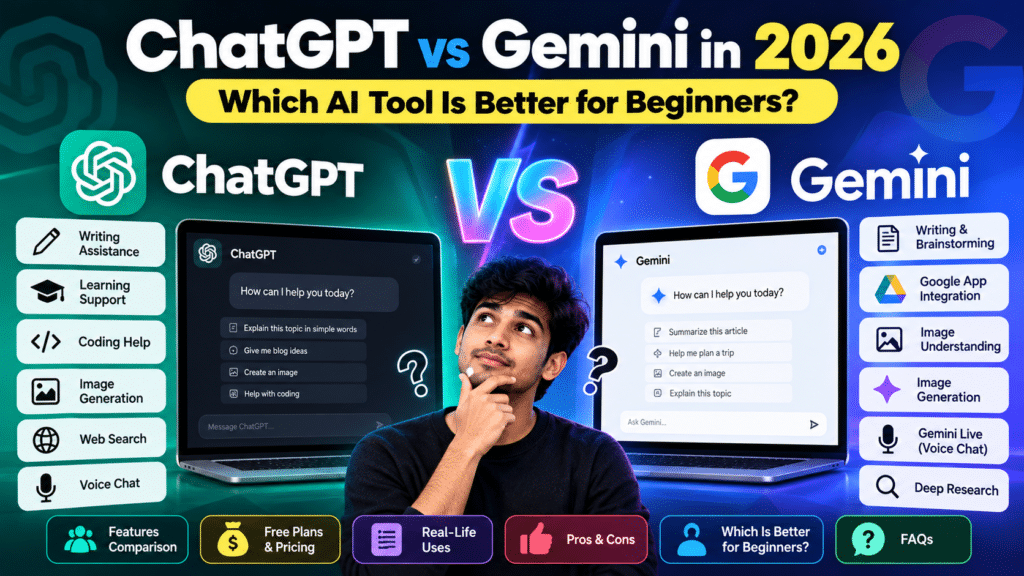
ChatGPT vs Gemini: A Simple Introduction
AI assistants are becoming part of everyday life in 2026. Students use them to understand lessons, writers use them to improve content, and professionals use them to save time.
Two well-known options are ChatGPT, developed by OpenAI, and Gemini, developed by Google. Both can answer questions, explain difficult topics, generate ideas, and help with creative tasks.
But which one should you choose if you are completely new to artificial intelligence?
This beginner-friendly guide explains their key features, real-life uses, free plans, advantages, limitations, and important differences without confusing technical language.
What Is ChatGPT?
ChatGPT is an AI assistant created by OpenAI. You can communicate with it using everyday language, just like having a conversation.
For example, you can ask it to explain a science topic, improve an email, suggest blog ideas, or create a study plan.
Key Features of ChatGPT
- Writing assistance: Create drafts, improve grammar, rewrite paragraphs, and brainstorm ideas.
- Learning support: Understand difficult subjects through simple explanations and follow-up questions.
- Coding assistance: Explain programming concepts, find possible errors, and suggest code.
- File analysis: Summarize documents and work with uploaded information, subject to plan limits.
- Image creation: Generate creative images using supported image tools.
- Web search: Find current information when search is available.
- Voice conversations: Ask questions and receive spoken responses on supported devices.
Best Uses of ChatGPT
ChatGPT can be helpful for students preparing notes, beginners learning English, bloggers planning articles, and professionals drafting messages.
It is particularly useful when you want to keep asking questions until you understand a topic.
What Is Google Gemini?
Google Gemini is Google’s AI assistant. It helps users write, learn, plan, research, and complete everyday tasks.
Gemini is especially interesting for people who already use Google products such as Gmail, Google Drive, Google Maps, and Android.
For example, you can ask Gemini to explain a topic, summarize information, suggest travel plans, or help organize ideas.
Key Features of Gemini
- Writing and brainstorming: Generate ideas, outlines, summaries, and drafts.
- Google integration: Work with supported Google apps and connected services.
- Image understanding: Ask questions about uploaded pictures and visual information.
- Image generation: Create or edit images where the feature is available.
- Gemini Live: Have natural voice conversations on supported devices.
- Deep Research: Explore complex subjects using supported research features.
- Canvas: Develop and refine writing or coding projects.
- Multimodal assistance: Interact using text, voice, images, and other supported inputs.
Best Uses of Gemini
Gemini is useful for students, Android users, researchers, and people who regularly work with Google’s services.
Its connected-app features can make certain everyday workflows more convenient, depending on account permissions and availability.
ChatGPT vs Gemini: Key Differences
Both assistants offer powerful tools, but their experiences are not identical.
| Feature | ChatGPT | Gemini |
|---|---|---|
| Developer | OpenAI | |
| Beginner-friendly chat | Yes | Yes |
| Writing and editing | Yes | Yes |
| Coding assistance | Yes | Yes |
| Image understanding | Yes | Yes |
| Image generation | Available | Available |
| Voice conversations | Available | Available |
| Web-based information | Search features | Search and Google-connected features |
| Google app integration | Depends on supported connections | Strong Google ecosystem focus |
| Free version | Yes | Yes |
The important difference is not simply how many features each tool offers. It is how comfortably those features fit into your daily routine.
Which AI Is Better for Writing?
Both tools can help you write blog posts, emails, captions, product descriptions, and creative stories.
ChatGPT is a useful choice when you want to develop an idea through several conversations. You can request a shorter paragraph, a friendlier tone, or a different explanation.
Gemini also supports writing and editing. It can be convenient when your work involves supported Google services.
Beginner tip: Never publish an AI-generated article without reviewing it. Add your own examples, check facts, and make sure the writing is genuinely helpful.
Which AI Is Better for Students?
Students can use either assistant to understand lessons, prepare revision notes, and practice questions.
For example, try this prompt:
“Explain photosynthesis in simple English with three everyday examples and five practice questions.”
You can ask follow-up questions if the explanation is too difficult.
ChatGPT offers learning-oriented features such as Study mode, while Gemini provides educational assistance and research tools.
Neither assistant should replace textbooks, teachers, or independent thinking. AI can make mistakes, so important answers should be verified.
Which AI Is Better for Coding and Research?
Both assistants can explain code, suggest solutions, and help beginners understand programming errors.
For research, they can summarize information, suggest questions, and help organize findings.
However, an AI response is not automatically a reliable source. Always open the original references and confirm dates, statistics, and quotations.
A practical approach is to ask both tools the same question and compare their explanations rather than assuming one is always correct.
Free Plans and Paid Options in 2026
You can start using either assistant without paying.
ChatGPT Free includes everyday AI conversations and access to selected tools, with usage limits. Paid subscriptions provide higher limits and additional capabilities.
Gemini Free provides everyday AI assistance with access to selected features. Google’s paid AI plans offer increased limits and additional tools.
Features, prices, and usage allowances can change, so check the official ChatGPT pricing page and Gemini plans page before upgrading.
For beginners, the free versions are sensible starting points. Explore the basic features before deciding whether a subscription is necessary.
Advantages and Limitations
ChatGPT Advantages
- Easy conversational experience.
- Helpful for rewriting and explaining information.
- Supports learning, brainstorming, coding, and creative tasks.
- Allows follow-up questions to refine answers.
ChatGPT Limitations
- Can produce incorrect or outdated information.
- Advanced features may have usage restrictions.
- Generated content still needs human editing.
Gemini Advantages
- Useful connections with Google’s ecosystem.
- Supports text, images, and voice interactions.
- Helpful for research, planning, and everyday productivity.
- Offers free and paid options.
Gemini Limitations
- Some integrations depend on your account or device.
- Advanced features may require payment.
- Answers can contain errors and require verification.
ChatGPT vs Gemini: Which Should Beginners Choose?
There is no single perfect assistant for everyone.
Choose ChatGPT if you prefer conversational learning, repeated explanations, writing assistance, or brainstorming through follow-up questions.
Choose Gemini if you frequently use Google services and want an AI assistant that works with supported Google apps.
You can also use both. For example, ask one assistant to explain a topic and the other to suggest practice questions.
The best tool is the one that helps you complete your actual tasks accurately, comfortably, and efficiently.
Frequently Asked Questions
1. Is ChatGPT free in 2026?
Yes. ChatGPT has a free plan for everyday conversations and selected tools. Some features have usage limits.
2. Is Google Gemini free to use?
Yes. Gemini offers free AI assistance with certain feature and usage restrictions.
3. Can beginners use both AI tools?
Absolutely. Both support natural-language questions, so you do not need programming knowledge to get started.
4. Which AI is better for students?
Both can explain lessons, summarize information, and generate practice questions. Your preferred learning style and required features matter more than the brand.
5. Can these AI assistants create images?
Yes. Both offer image-generation capabilities, although availability and limits vary.
6. Can I trust every AI-generated answer?
No. Both systems can make mistakes. Verify important facts using reliable sources, especially for health, legal, financial, or academic decisions.